Management by exception
Run the company
from one screen.
Four quadrants — financials, sales and marketing, systems health, product and engineering. Every service a lean team runs on reports into the one it belongs to. Quiet until something deviates, then it shows you where to look.
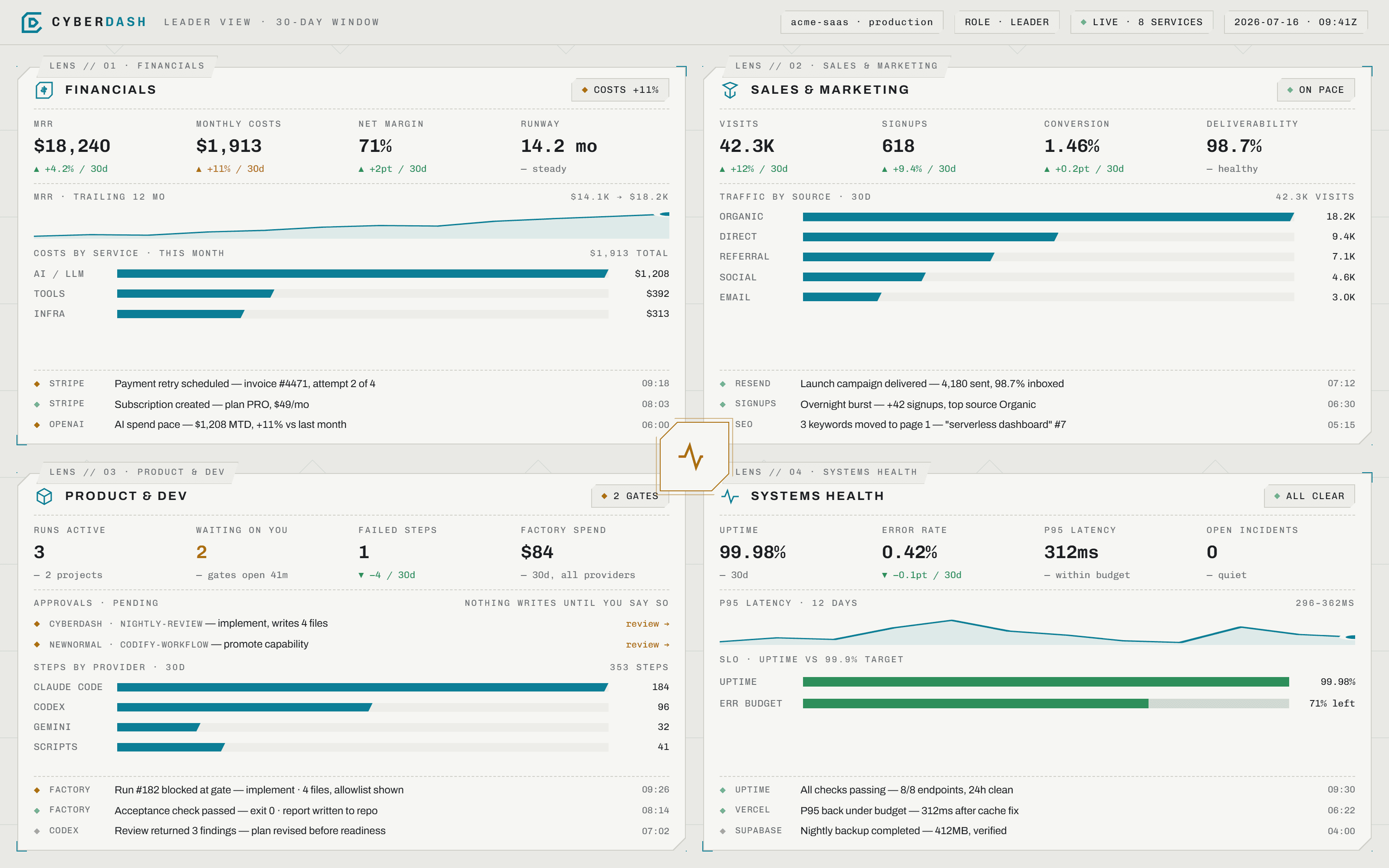
One screen, four quadrants, no scrolling. Numbers on top, the trend under them, the latest events at the foot of each. Sample data shown.
Financials
Are we making more than we spend?
- Monthly revenue with a 30-day delta
- Monthly costs — platform, AI tokens, manual expenses
- Payment failures and churn as they land
 Vercel
 Stripe
 Vercel AI Gateway
 Resend
 Fly.io
 Cloudflare
 AWS
AWSSales & Marketing
Is the pipeline moving?
- Deals and contacts from your CRM
- Campaign sends, bounces and replies
- Analytics and SEO next
VercelResend HubSpot
 Google Search Console
Operations
Is anything broken right now?
- Deploys and rollbacks across every host
- Errors and new issues, newest first
- Database and edge load
Vercel Supabase
 GitHub
 Sentry
 RailwayFly.ioCloudflareAWS
Product & Dev
Is the work shipping?
- Factory runs active, failed steps, spend by provider
- Approvals waiting on you — nothing writes until you say so
- Commits, pull requests and releases
GitHub Claude Code
 CodexVercel AI
 Gemini
Quiet by default
A quadrant that is fine shows a number and nothing else. Deviation is the only thing that raises its voice.
One click deeper
Any quadrant opens the full event stream filtered to it — same data, more of it.
Yours to divide
Invite someone into one quadrant and that is all they see. Leaders see all four.
Roles: Admin · Leader · Financials · Sales & Marketing · Product & Dev · Operations · Sales rep
Product & engineering · drill down
The quadrant says where to look.
Software Factory does the work.
Open the product and engineering quadrant and you reach the factory: a control plane that drives Claude Code and Codex against your own repositories. It does not reimplement them. It decides which harness runs, under which permissions, in what order, and what happens to the result.
State a goal. You get a plan two different models argued over, a mechanical readiness check before anything is allowed to type, one approval, an implemented batch, a verdict that is an exit code rather than a claim, and a report written back into your repository.
- 01Goalyou
- 02AnalyseClaude Code
- 03ReviewCodex
- 04ReadinessClaude Code
- 05Checkscript · exit code
- 06Approveyou
- 07ImplementClaude Code
- 08Testscript · exit code
- 09Reportwritten to your repo
01–06 are read-only. Nothing touches your working tree before the gate.
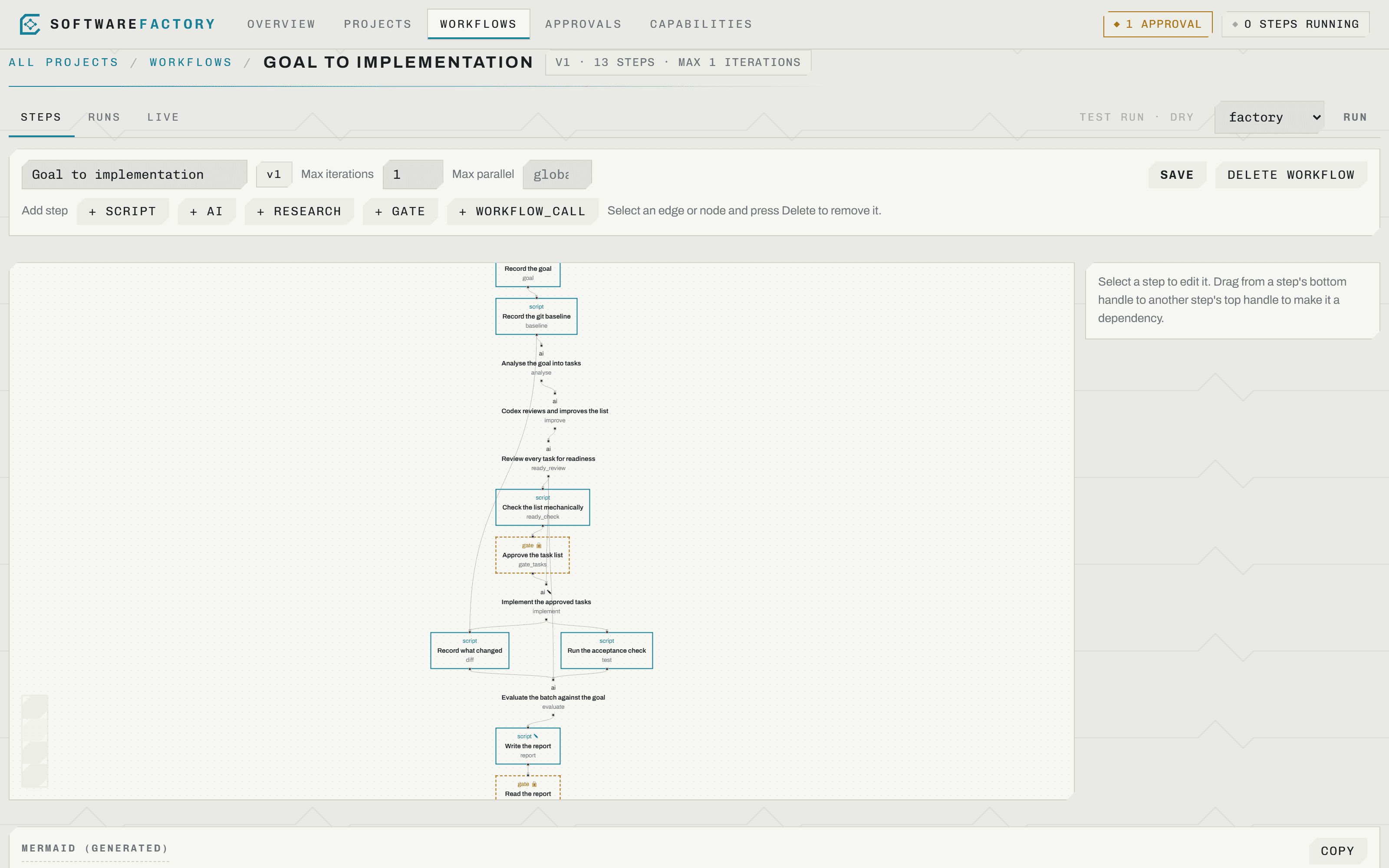
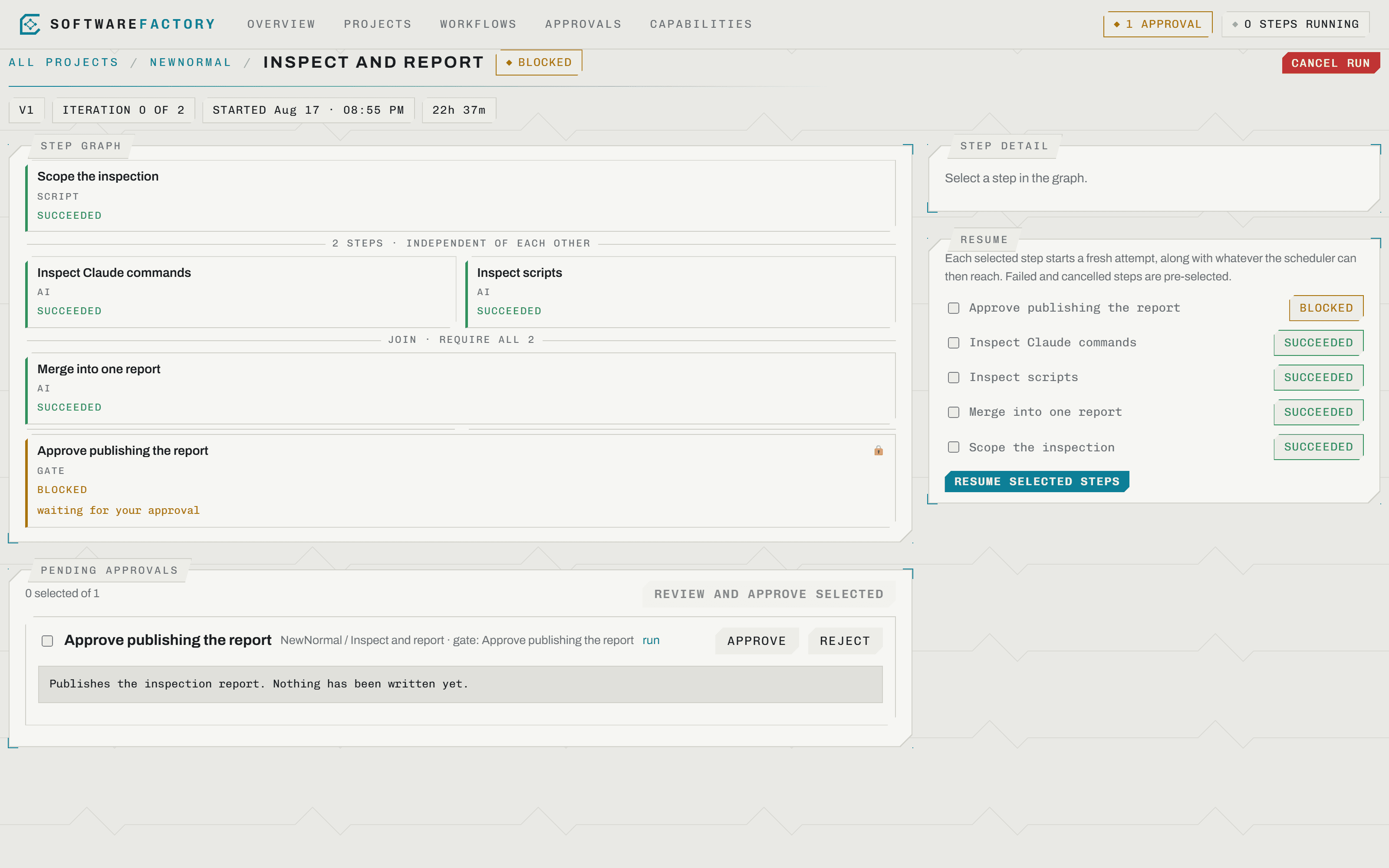
A workflow is a dependency graph, not a script. Independent steps run at once; a join waits for all, any, or N of its predecessors. The dashed nodes are gates, and the one step allowed to edit your code is the only one that takes the project lock.
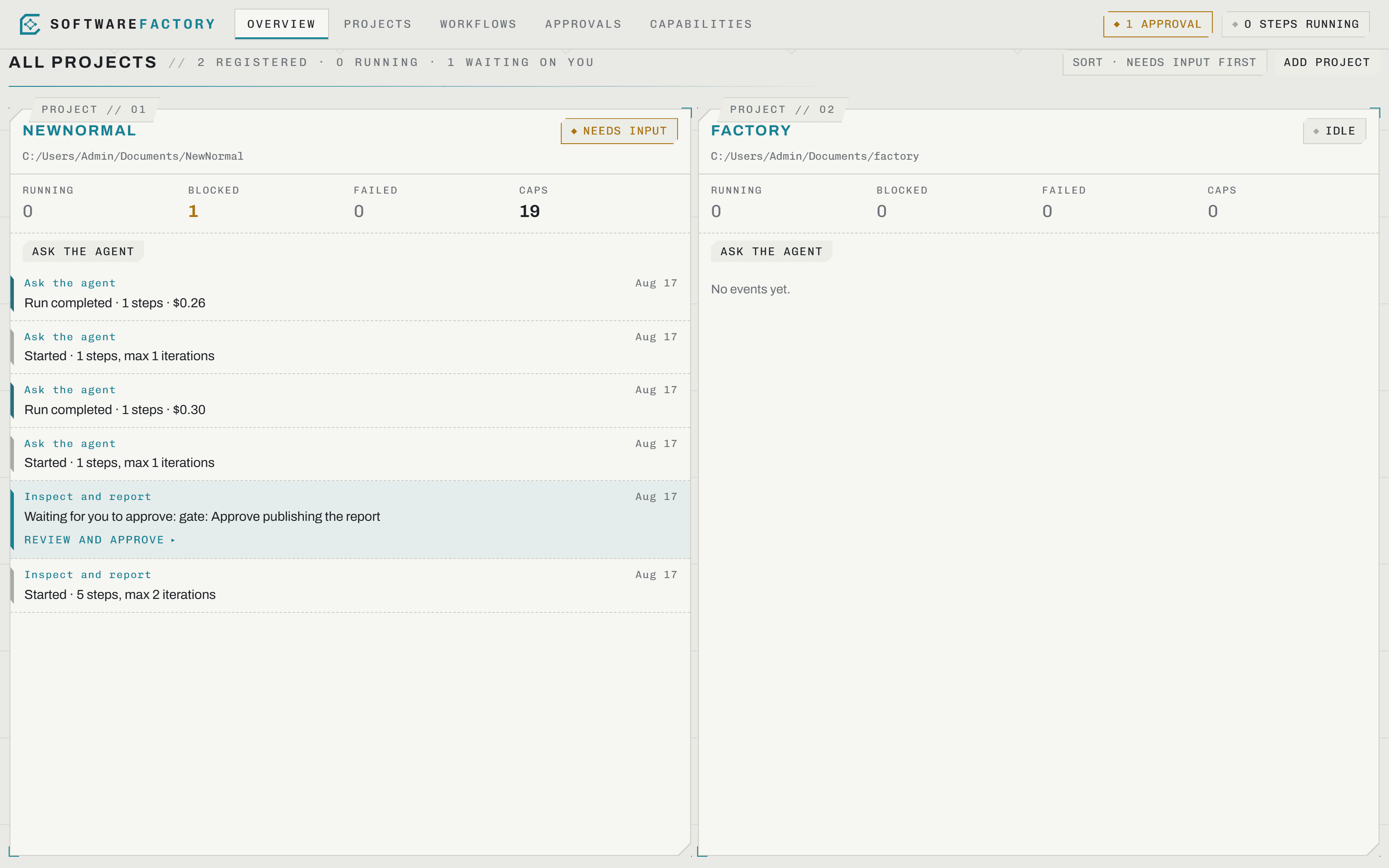
Every project on one rail
What is running, what is blocked, what failed, and what is waiting on you — across every repository you have registered.
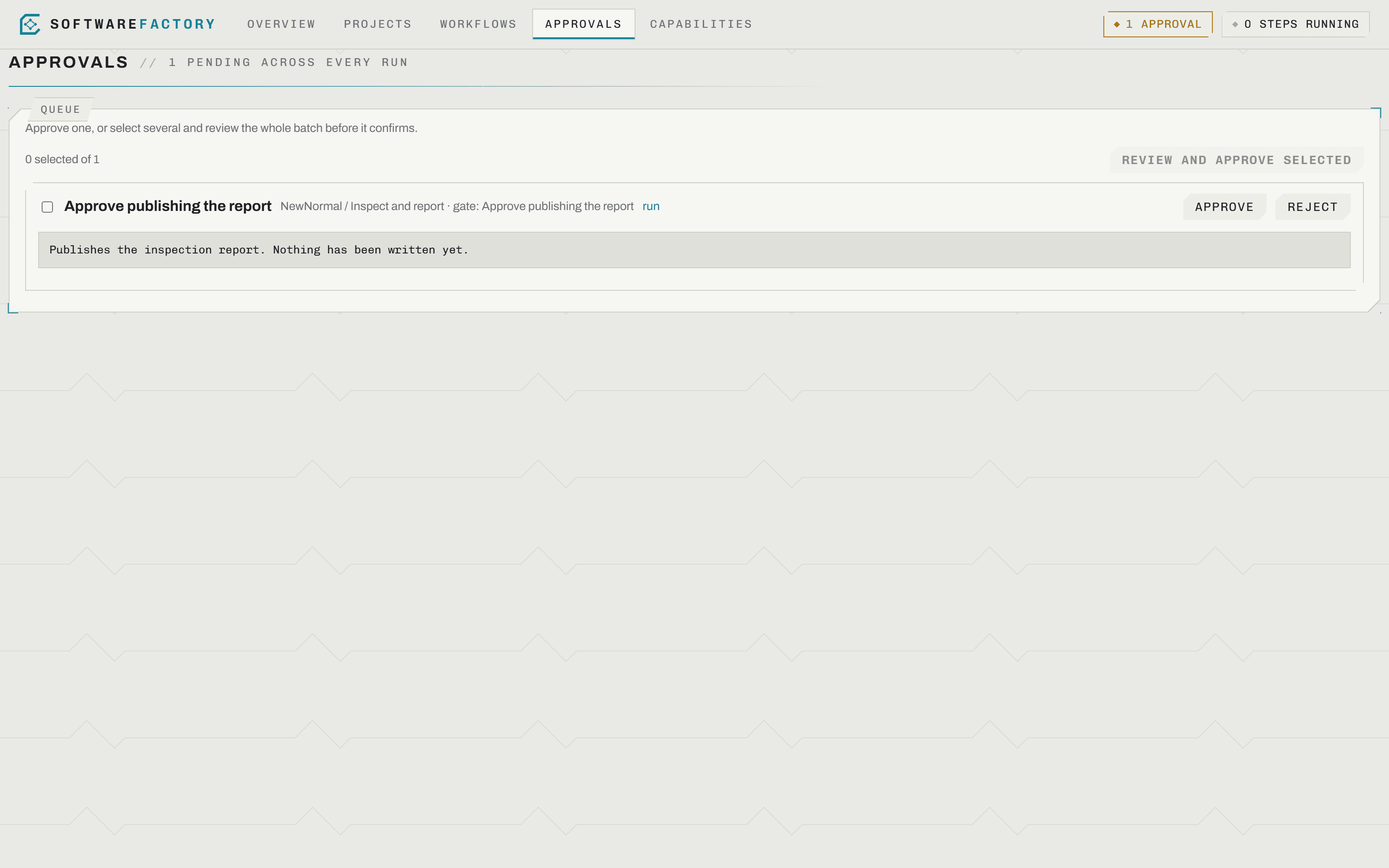
Nothing writes without you
Each gate states exactly what approving allows, and what it still will not do. Approve one, or review several and approve them together.
Every run keeps its evidence
Prompts, diffs, exit codes and cost are retained per step. A stopped run resumes from the steps you choose.
Local first
The runner executes on your machine, against your own checkouts. Your code and your credentials stay there.
Read-only by default
A harness plans and answers. Editing is a separate step — gated, with an explicit tool allowlist and a spend ceiling.
Deterministic where it counts
Readiness and acceptance are exit codes, so a model never grades its own work.
Resumable
A failed run drains, blocks and keeps every artifact. Pick the steps to retry; earlier attempts remain as evidence.